 Biscuit Wallet
Biscuit Wallet
Biscuit Wallet
Docs › Ethereum, USDT and USDC
Ethereum is optional in Biscuit, like Bitcoin and Litecoin. USDT and USDC, the two dollar tokens, are added on top of it: they live on your Ethereum address, on the Ethereum network.
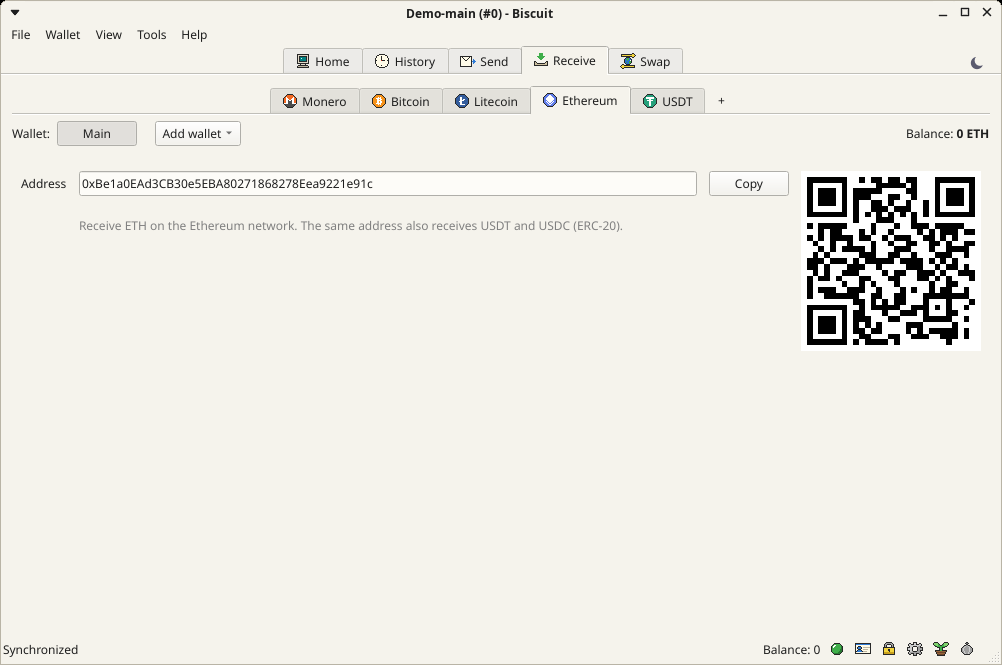
Tick them when you create your wallet, or add them later with the + next to the coins on Send and Receive. Each is added on its own: Ethereum alone gives you ETH, and USDT or USDC appear only once you add them. Adding USDT or USDC adds Ethereum too, because their network fees are paid in ETH.
Your first Ethereum wallet comes from the same 12 words as your first Bitcoin and Litecoin wallets. Biscuit uses the address most Ethereum wallets use for these words, so they can be restored elsewhere:
| Coin | Address | Path |
|---|---|---|
| Ethereum, USDT, USDC | 0x… | m/44’/60’/0’/0/0 |
One address receives ETH, USDT and USDC. Unlike Bitcoin, it doesn’t change after a payment: anyone who knows it can see what it received on a block explorer.
USDT and USDC exist on many networks. Biscuit holds them on Ethereum (ERC-20) only. USDT or USDC sent to your address from another network, such as Tron, BNB Chain or Solana, is lost: always tell the sender to use Ethereum. Biscuit says so on the receive page, and swaps only offer the Ethereum versions.
Biscuit only handles the real USDT and USDC contracts. Tokens with the same name sent to your address by strangers are ignored.
As with Bitcoin and Litecoin, you can keep several Ethereum wallets in the same Biscuit wallet: Add wallet, above the address, creates one or restores one from its 12 or 24 words, for example the seed of a wallet you used elsewhere. Switch with the buttons above the address; right-click one to rename it, show its seed or remove it. Back up the seed of each wallet you add.
Contacts work for Ethereum too, one address book for ETH, USDT and USDC: see Contacts.